


Go to the Control Panel | select devices and printers

Right click and select printer properties on the TSP device

Select the TSP100 Config tab and select the Launch Configuration Application

Select Star line Mode (Default). Note: This may take some time to load. ** It may say note responding but give it time.
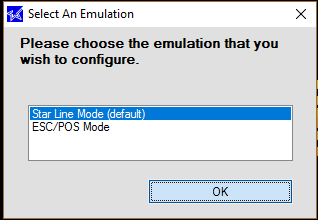
When the Star Micronics TSP Configuration Window opens select General Settings | and Change the line spacing to a lower value i.e. 4 to 3 and apply changes.

For further reductions You can select the ECO Setting and change the Receipt reductions drop down.

Original, 25%, 50%

There you have it! Saving the Earth, one shorter receipt at a time.